Disclosure: this post contains Amazon affiliate links. As an Amazon Associate we earn from qualifying purchases, at no extra cost to you.
Last updated: 31 October 2026
Recent developments in modding have led to the creation of GPU performance enhancement tools specifically for NVIDIA’s GeForce RTX 20, 30, and 40 series graphics cards. These tools aim to significantly boost AI performance, making them particularly appealing for gamers and creators in India looking to maximize their hardware capabilities. With the new UEFI-level pre-driver enhancer, users on both Windows and Linux can reportedly experience up to a 75% increase in AI compute performance on these GPUs.
This is important for tasks that benefit from higher processing power, such as gaming and machine learning. Indian developers and content creators can take advantage of these improvements for more complex projects or to enhance their gaming experience in titles like Call of Duty: Modern Warfare 4, which demands a lot from graphics hardware. The ability to improve Tensor Core performance could also assist those involved in AI research or development, tapping into the growing tech ecosystem in India. As more users explore these tools, the impact on local gaming and creative industries could be substantial.
Want to see what it costs right now? Check gaming graphics card price on Amazon.in
What are GPU performance unlock tools?
GPU performance enhancement tools have emerged as a significant benefit for users of NVIDIA graphics cards, particularly the RTX 20, 30, and 40 series. Developed by modders, these tools aim to boost the AI performance of these GPUs, giving your hardware a notable upgrade. This could be especially useful for gamers and creative professionals who need more from their systems.
The primary function of these tools is to tap into the existing capabilities of NVIDIA’s architecture designed for AI-related tasks, which are increasingly important in gaming and content creation. With the introduction of a new UEFI-level pre-driver Nvidia GPU enhancer, users reportedly can see up to a 75% increase in AI compute performance. This is a significant improvement for anyone aiming for smoother gameplay or faster rendering times in creative software.
For Indian users, this is a noteworthy development, especially considering the growing interest in AI-driven applications and gaming. With the right tools, these enhancements can make a considerable difference in how games perform—particularly those that rely on complex AI algorithms. Games like Call of Duty: Modern Warfare 4, which already push even the likes of the RTX 5090 to its limits, would benefit from the extra performance provided by these tools.
However, there are key factors to consider before diving in. First, the installation process may require familiarity with system settings, as it often involves modifying firmware or driver settings. Not everyone is comfortable with this level of tweaking, so it’s important to evaluate your technical skills before proceeding. Also, these modifications may void warranties, as they can alter how the GPU operates.
Another point to weigh is compatibility. While the tools reportedly support a range of NVIDIA GPUs, including the RTX 20, 30, and 40 series, it’s wise to double-check if your specific model and configuration are suitable for these enhancements. The modding community often provides valuable insights, so engaging in forums or discussions can help you decide whether the benefits outweigh the risks for your setup.
There’s also the aspect of stability and unconfirmed results. While the modding scene has been active, not all reports are officially endorsed by NVIDIA. This means that while users have shared promising results, there’s a chance of encountering issues or discrepancies in performance gains. Keep an eye on user feedback and run tests in safe environments before fully relying on these enhancements for critical tasks.
In short, GPU performance enhancement tools present a valuable opportunity for NVIDIA GPU owners to maximize their hardware’s potential, particularly in gaming and creative applications. Weigh the benefits against the risks, and ensure you do thorough research before making any significant changes. Here are a few pointers to help you decide:
- Check compatibility with your specific GPU model.
- Assess your comfort level with system modifications.
- Stay updated on community feedback regarding stability and performance.
By staying informed and cautious, you can make the most of these tools to improve your gaming and creative experiences.
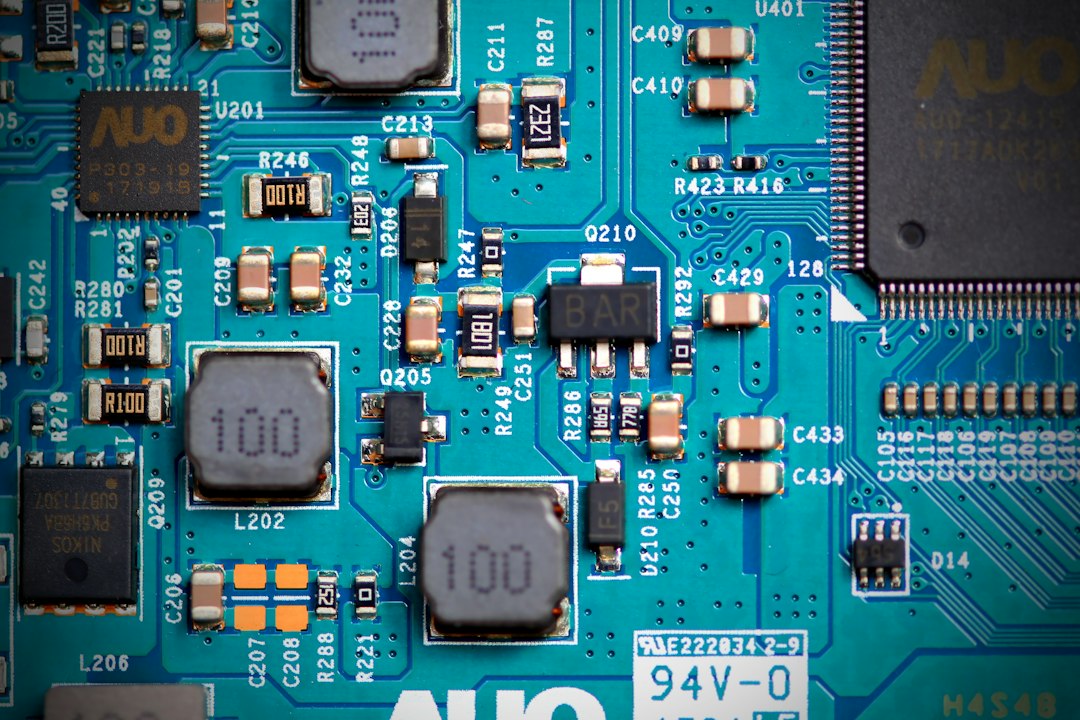
Browse gaming graphics card on Amazon.in
Benefits of using GPU performance unlock tools
Using GPU performance enhancement tools can significantly improve the capabilities of NVIDIA graphics cards, especially for gaming enthusiasts and creators. These tools allow users to access additional AI performance, enabling features that may not be fully utilized by the standard drivers.
The most notable recent development comes from modders who have automated tools to boost AI performance on NVIDIA GeForce RTX 20, 30, and 40 series GPUs. These unofficial tools have reportedly increased AI compute performance by up to 75%, as highlighted by various sources. This performance boost is especially helpful for those working with machine learning, rendering, and other demanding tasks that require substantial computational power.
For gamers, the difference can be dramatic. While games like Call of Duty: Modern Warfare 4 run smoothly on integrated graphics, they can push the RTX 5090 to its limits. Enhancing performance on older models like the RTX 20 and 30 series can make them more competitive, especially in graphically intensive titles. This could mean better frame rates, improved visual quality, and an overall smoother gaming experience.
However, potential users should be aware of the trade-offs involved. Using these tools can void warranties and potentially lead to hardware malfunctions if not done correctly. The risks may deter some, particularly those who prefer a hassle-free experience. It’s essential to monitor system temperatures and performance stability, especially considering the high temperatures that Indian summers can bring. Overheating could be a concern if the GPU is pushed beyond its designed limits.
Before diving into performance enhancement tools, here are some considerations:
- Compatibility: Ensure your GPU model is supported. The tools are primarily aimed at RTX 20, 30, and 40 series cards.
- System Requirements: Check whether your system meets any additional requirements for using these tools, such as specific Windows or Linux versions.
- Potential Risks: Be aware of the possibility that using these tools may void warranties or lead to hardware damage if not implemented correctly.
While these GPU performance enhancement tools hold great promise, it’s important to proceed with caution. The tools still fall under unverified claims, and while many users report positive outcomes, independent reviews are necessary to fully assess their benefits and risks.
For Indian users interested in maximizing their GPU performance for gaming or creative tasks, these tools represent an exciting avenue worth exploring. Just ensure you are comfortable with the potential risks and that you monitor your hardware closely during use.
How to use GPU performance unlock tools on NVIDIA GPUs
Using GPU performance enhancement tools on NVIDIA GPUs can greatly improve your graphics card’s capabilities, especially for those involved in gaming and creative tasks. Here’s how you can effectively use these tools, along with some key considerations.
First, ensure your GPU is compatible. The new automated tools target the NVIDIA GeForce RTX 20, 30, and 40 series GPUs. These tools aim to boost AI performance, enhancing compute capabilities reportedly by up to 75% on Windows and Linux systems. This is particularly beneficial for gamers and content creators who rely on AI for tasks such as rendering, machine learning, and demanding graphic workloads.
To get started, download the appropriate performance enhancement tool for your GPU series. Several platforms, like GitHub or dedicated modding communities, might host these tools. It’s important to follow installation instructions closely, as improper installation could lead to system instability or reduced performance. Back up your system before proceeding, especially since some modifications can affect your GPU’s firmware.
After installation, you’ll typically need to access the UEFI settings of your system. This step can be a bit technical. Enter the BIOS setup on boot, go to the relevant section, and enable the GPU enhancement feature. Make sure that your firmware is up-to-date as well; updates can improve compatibility and performance.
Once you’ve activated the enhancement feature, monitor your GPU’s performance closely. Use software like MSI Afterburner or GPU-Z to track metrics such as temperature, clock speeds, and power draw. Consider that while you may notice a performance boost, these modifications can increase power consumption and heat output. In the sweltering Indian summers, this is an important factor; ensure your cooling system can handle any additional heat generated.
For those involved in competitive gaming or professional creative work, the potential performance enhancements can be highly beneficial. However, it’s essential to recognize the risks. Overclocking your GPU, even with performance enhancement tools, may void the warranty or lead to hardware damage if not done carefully.
Finally, stay informed about community feedback and developments. Tools like these are often updated based on user experiences, so keeping an eye on modding forums or dedicated Discord channels can provide valuable insights. Be aware that while these enhancement tools show promise, they are still unconfirmed in terms of long-term stability and how they might affect your hardware’s lifespan.
If you own an NVIDIA GPU from the RTX series and are looking to push your hardware to the limit, GPU performance enhancement tools can provide significant benefits. Just remember to weigh the gains against the risks and always proceed with caution.
What to consider before using GPU performance unlock tools
Using GPU performance enhancement tools can provide a noticeable boost, particularly for those with NVIDIA GeForce RTX 20, 30, and 40 series graphics cards. However, before diving in, there are several important factors to keep in mind.
First, understand the reliability of the tools. Recent sources indicate that modders have developed automated tools that can improve AI performance, but as with any third-party software, there can be reliability and stability concerns. While reports from sites like VideoCardz highlight the effectiveness of these tools, independent user feedback is important. Look for community reviews or forums discussing the specific tool you plan to use. Tools that come with unverified claims should be approached with caution.
Next, consider the potential risks involved. Enhancing performance can lead to increased heat output and power consumption. This is especially relevant for users in India, where summer temperatures can soar. Overloading your GPU beyond its designed capacity could lead to overheating, especially if adequate cooling solutions are not in place. Regular monitoring of GPU temperatures during intense tasks is essential. If you’re in a region with high ambient temperatures, investing in better cooling solutions might be necessary.
Another key aspect is compatibility. The newly reported UEFI-level pre-driver Nvidia GPU enhancer is said to support Windows and Linux setups, which opens options for various users. However, ensure that your operating system and motherboard firmware are fully compatible with the enhancement tool. Compatibility issues can lead to system instability or boot failures.
Performance gains can vary significantly depending on the specific GPU model and the workloads you run. Reports suggest that some users could see up to 75% higher AI compute performance with these tools. However, not all tasks will benefit equally. If your primary use case is gaming, the gains may differ from those seen in AI-driven tasks like machine learning. Therefore, define your needs clearly before proceeding.
Lastly, be cautious of unconfirmed leaks or claims. For example, the purported benefits of these enhancement tools are still largely anecdotal. Be wary of any promises made by tool developers that lack verifiable user experiences.
To summarise, here are key factors to consider before using GPU performance enhancement tools:
- Temperature management: Ensure adequate cooling solutions are in place, especially in warmer climates.
- System compatibility: Check alignment with your operating system and hardware.
- Performance expectations: Understand that results can vary based on individual use cases and hardware.
By weighing these considerations, Indian users can make informed decisions about whether to utilize GPU performance enhancement tools. Those focused on maximizing their hardware for gaming or creative tasks will find these tools appealing, but due diligence is important to avoid potential pitfalls.
Frequently Asked Questions
What NVIDIA GPUs can I unlock with these tools?
You can enhance the AI performance on NVIDIA GeForce RTX 20, 30, and 40 series GPUs using these tools. Modders recently created an automated tool specifically for these models to improve their capabilities.
Are GPU performance unlock tools safe to use?
Safety varies by tool, as these tools can affect your GPU’s performance and stability. It’s best to check reviews and user feedback on dedicated forums or the official sites for specific tools before using them.
How do GPU performance unlock tools improve AI performance?
These tools reportedly unlock additional Tensor Core performance, boosting AI compute capabilities significantly for supported GPUs. The new UEFI-level pre-driver Nvidia GPU unlocker claims improvements of up to 75% higher AI performance.
Can I revert changes made by GPU performance unlock tools?
Most tools should allow you to revert changes, but specifics can vary. Always check the documentation provided with the tool or consult user forums for guidance on reverting adjustments.
Where can I find GPU performance unlock tools in India?
You can find these tools on modding community websites or forums. They may not be available on major retail sites like Amazon.in or Flipkart, so check specific modding communities for access.
Will using these tools void my GPU warranty?
Using these tools may void your GPU warranty, as manufacturers typically don’t support modifications. It’s a good idea to review your warranty terms or contact the manufacturer for clarification.
What kind of performance gains can I expect?
Performance gains depend on the specific tool and your GPU model. Some users have reported substantial improvements, but exact metrics are not confirmed, and independent benchmarks will provide clearer insights.
Are there any risks involved with using GPU performance unlock tools?
Yes, risks include potential instability, overheating, or even damage to your GPU. Make sure to monitor temperatures and performance after applying any modifications, and proceed with caution.
Conclusion
As the modding community continues to develop new solutions, the new UEFI GPU modification tools for NVIDIA’s RTX 20, 30, and 40 series GPUs offer notable potential. These tools reportedly enhance AI performance significantly, with claims of up to 75% higher AI compute performance. For gamers and creators in India, this could mean better performance in demanding applications and smoother gameplay in titles that utilize AI capabilities.
If you own any of these GPUs and are looking to push your hardware to its limits, these tools are worth investigating. However, proceed with caution. Modding can sometimes lead to system instability or void warranties. It’s essential to back up your data and thoroughly research the tools before applying them.
If you’re after better performance right now, these tools could be very helpful. But if you prefer waiting for confirmed user feedback, that might be a wise choice as well. What do you think? Share your thoughts below!
See gaming graphics card deals on Amazon.in (prices and offers change often, so check before you buy).
More from the Potato Tech YouTube channel
Watch more: new videos and Shorts every week on the Potato Tech YouTube channel. Subscribe so you don’t miss the next one.
Related reading
- NVIDIA RTX 30 series unlock mod boosts performance significantly
- AMD Radeon RX 9070 XT features and performance insights
- Intel Arc GPU launch in India: ASUS introduces Arc Pro B70
Featured photo by Bartosz Kwitkowski on Unsplash