Disclosure: this post contains Amazon affiliate links. As an Amazon Associate we earn from qualifying purchases, at no extra cost to you.
Last updated: 21 October 2026
Nvidia DLSS 4.5 features are set to improve the gaming experience for players in India, especially in popular titles like Call of Duty: Modern Warfare 4 and Cyberpunk 2077. With the latest GeForce 621.01 driver now adding DLSS 4.5 support, gamers can expect smoother gameplay and better graphics quality. This update is important for Nvidia GPU users looking to take advantage of new performance capabilities.
The inclusion of Dynamic Multi Frame Generation in Cyberpunk 2077 is a standout feature, promising to enhance the gameplay experience. As the demand for high-quality gaming graphics in India grows, these improvements could have a big impact for those investing in Nvidia technology. Nvidia’s ongoing commitment to improving its software is becoming increasingly relevant for Indian gamers, particularly as the local esports scene continues to gain traction.
With the release of DLSS 4.5, it’s clear that Nvidia aims to push the limits of performance and visual fidelity, making this update an important consideration for anyone looking to optimize their gaming setup.
Want to see what it costs right now? Check gaming headset price on Amazon.in
Key takeaways
- Nvidia DLSS 4.5 is now supported in Call of Duty: Modern Warfare 4 and Cyberpunk 2077, enhancing gameplay for Indian gamers.
- The GeForce 621.01 driver update adds DLSS 4.5 support, improving graphics quality and performance.
- Dynamic Multi Frame Generation is a key feature in Cyberpunk 2077, promising smoother gameplay.
- This update is essential for Nvidia GPU users in India seeking better gaming experiences.
What are the key Nvidia DLSS 4.5 features?
Nvidia DLSS 4.5 brings several notable features aimed at enhancing gaming performance, especially in high-demand titles. This update is increasingly relevant for gamers in India, where many are keen on maximizing their gaming setups with Nvidia GPUs.
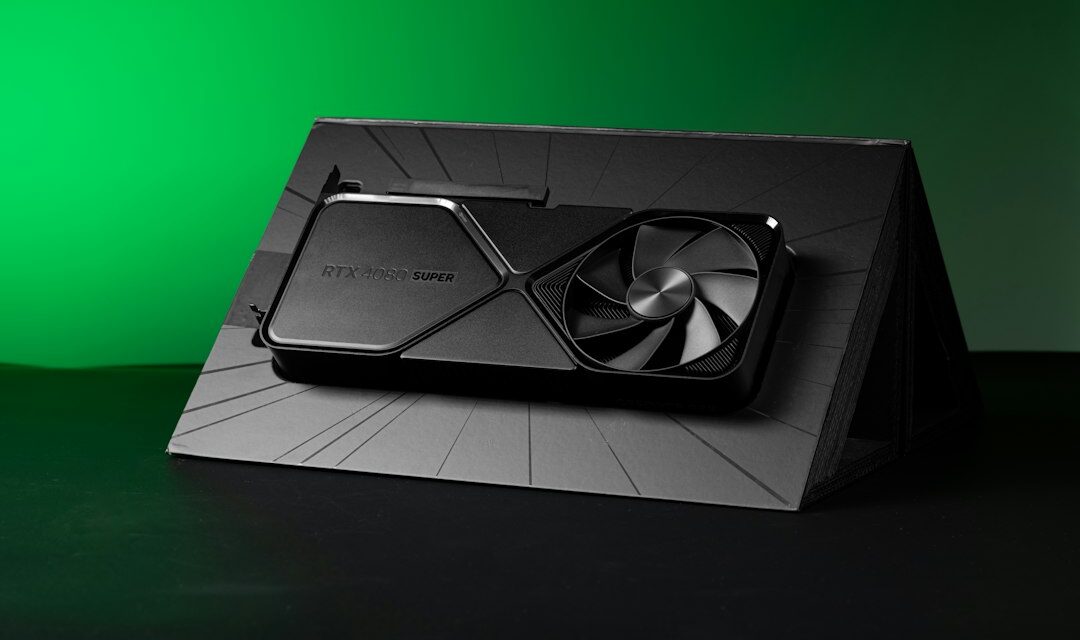
One of the standout features is the introduction of Dynamic Multi Frame Generation. This technology is already gaining traction in games like Cyberpunk 2077 and significantly improves the frame rates without sacrificing visual quality. If you’re playing at 1440p or even 4K, the additional frames can make your gameplay experience much smoother, particularly in action-heavy sequences. You’ll want to check if your Nvidia GPU supports DLSS 4.5; models from the RTX 20 series and newer should have you covered.
The integration of DLSS 4.5 in popular games like Call of Duty: Modern Warfare 4 also deserves attention. This title is a staple for many in the Indian gaming community, and with DLSS 4.5, you can expect enhanced graphics quality and performance that may pull you deeper into the action. The improvements can help maintain competitive play during intense firefights, making it particularly relevant for gamers interested in esports or casual multiplayer.
Another aspect of this update is its compatibility with various drivers. The Nvidia GeForce 621.01 driver brings support for DLSS 4.5, which means ensuring your drivers are up-to-date will be important. Having the latest drivers enables new features and can also resolve performance issues that may affect your overall gaming experience.
While many benefits are confirmed, some details remain unverified. Nvidia has hinted at future advancements with DLSS, including claims of a new DLSS 5 model touted to be twice as fast and requiring 20% less VRAM at 4K. While this sounds promising, it’s wise to approach these claims with caution until more concrete information is available.
If you’re looking to benefit from DLSS 4.5, make sure to check if your favorite games support the new features. Title patches and updates, especially for big releases like Cyberpunk 2077, are essential to consider. The dynamic frame generation may not be available in all regions or for all game modes, so keep an eye on game-specific updates.
Here’s a quick recap of what to look for with DLSS 4.5:
- Dynamic Multi Frame Generation boosts frame rates in supported games.
- Compatibility with RTX 20 series and newer GPUs for optimal performance.
- Regular driver updates are necessary to access new features.
- Check game updates to see which titles have integrated DLSS 4.5 features.
Overall, Nvidia DLSS 4.5 offers significant improvements that can enhance your gaming experience, especially if you’re into graphically demanding games. Keeping your system updated and aware of the supported titles will be key to taking full advantage of these new features.
Browse gaming headset on Amazon.in
Performance improvements in Call of Duty: Modern Warfare 4
Nvidia’s DLSS 4.5 update introduces important enhancements for popular titles, especially in Call of Duty: Modern Warfare 4. Gamers in India with Nvidia GPUs should pay attention, as this update specifically targets performance and visual fidelity, making the gaming experience more enjoyable.
The latest GeForce 621.01 driver includes support for DLSS 4.5, and it promises to deliver smoother gameplay. In Modern Warfare 4, players can expect improved frame rates and reduced latency, which is essential in fast-paced shooters. The dynamic multi-frame generation feature is a key improvement. This technology generates additional frames by using AI, allowing for a responsive gaming experience even during intense action sequences.
For those playing on higher resolutions, particularly 4K, the inclusion of DLSS 4.5 is beneficial. The technology enhances image quality while maintaining performance, allowing gamers to enjoy great visuals without sacrificing playability. This matters in Indian summers, where heat can lead to thermal throttling in some systems. Higher frame rates can help keep your GPU cooler, reducing the chances of overheating during long gaming sessions.
However, the performance uplift depends on your specific hardware setup. Gamers using older Nvidia graphics cards may not see the same level of improvement as those with newer models. If you’re looking to make the most of this update, check your GPU model and ensure your drivers are current. You’ll also want to monitor performance metrics to gauge the actual benefits of DLSS 4.5 in your gameplay.
Unconfirmed reports suggest that gamers might see a more substantial enhancement in Cyberpunk 2077 due to this update, but specifics are still emerging. As always with software updates, it’s wise to wait for independent reviews and benchmarks before making any decisions about upgrading your hardware.
Overall, Nvidia’s DLSS 4.5 has the potential to enhance your experience in Call of Duty: Modern Warfare 4. Here are key points to keep in mind:
- Dynamic multi-frame generation offers improved frame rates and visual quality.
- Performance varies based on GPU model; newer models benefit more.
- Monitor performance metrics to get a clearer picture of the improvements.
- Check for driver updates to ensure optimal performance.
As gaming in India continues to change, staying informed about such updates is important if you want to maintain a competitive edge in games like Modern Warfare 4.
DLSS 4.5 features in Cyberpunk 2077 and its impact
Nvidia DLSS 4.5 brings notable enhancements to Cyberpunk 2077, a game that has been both a technical marvel and a performance challenge since its release. With the latest update, gamers can expect significant improvements in gameplay experience, especially for those using Nvidia GPUs.
The standout feature in DLSS 4.5 is the introduction of Dynamic Multi Frame Generation, which aims to optimize frame rates without sacrificing visual quality. This technology dynamically generates additional frames, thereby smoothing out gameplay, especially in scenes that might typically struggle with frame drops. For players in India, where managing power and heat during intense gaming sessions can be a concern, this performance boost could translate into a more stable experience. Higher frame rates mean less strain on hardware and potentially lower thermal output, which is key given the hot summers in many regions of the country.
Another benefit of DLSS 4.5 is its compatibility with the Cyberpunk 2077 update 2.5. This update includes native support for the latest DLSS features, ensuring that players can take full advantage of the technology without needing additional patches or tweaks. This means that as new content and updates roll out, players can continue to rely on Nvidia’s advancements to keep their gaming experience fresh and buttery smooth.
For those wondering about hardware requirements, remember that while DLSS technology generally improves performance, the specific gains can vary based on the GPU model you own. Nvidia has not disclosed exact performance metrics for DLSS 4.5 in Cyberpunk 2077, which means that until independent benchmarks are available, players should approach expectations with caution. If you’re considering an upgrade or are eyeing new Nvidia GPUs, keep this in mind.
Here are some considerations for gamers looking into DLSS 4.5 for Cyberpunk 2077:
- Ensure your GPU supports DLSS 4.5; older models may not benefit.
- Monitor your system temperatures during gameplay, especially during intense scenes.
- Keep an eye on patch notes from both Nvidia and CD Projekt Red for ongoing performance tweaks.
What remains unconfirmed is exactly how much of an improvement Dynamic Multi Frame Generation will provide in real-world gaming scenarios; claims of smoother gameplay and enhanced graphics quality must be validated by community benchmarks after release. As Nvidia continues to iterate on its DLSS technology, staying updated with new driver releases and game patches will be key to maximizing your gaming experience.
For Indian gamers invested in Cyberpunk 2077, DLSS 4.5 is very much worth exploring. The combination of enhanced performance features with ongoing game updates presents a compelling reason to dive back into Night City, making the most of your gaming rig. As always, keep an eye out for benchmarks and user feedback to gauge the full impact of these new features once they are in action.
How to enable Nvidia DLSS 4.5 in your games
To enable Nvidia DLSS 4.5 in your games, you’ll want to ensure you have the right setup and follow a few straightforward steps. This feature is a benefit for players using supported titles like Call of Duty: Modern Warfare 4 and Cyberpunk 2077, particularly for those playing on high-resolution displays. With DLSS (Deep Learning Super Sampling), you can achieve smoother gameplay and better graphics quality without the need for top-tier hardware. Here’s how to make the most of this update.
First, ensure your Nvidia GPU supports DLSS 4.5. The latest GeForce drivers, specifically the GeForce 621.01 update, bring this support. If you haven’t updated your drivers recently, download the latest version from the Nvidia website or use the GeForce Experience app to keep everything current. This is essential because performance improvements depend on the latest optimizations Nvidia has rolled out.
Once your GPU is ready, launch your game and head to the settings menu. In supported games, like Modern Warfare 4 and Cyberpunk 2077, you’ll find an option for DLSS settings under the graphics tab. Here, you can toggle DLSS on and select the quality mode you prefer: Quality, Balanced, or Performance. Each option provides a different balance between visual fidelity and performance:
- Quality: Prioritizes graphics, offering the best visuals at the cost of some performance.
- Balanced: A middle ground, giving you decent quality and performance.
- Performance: Enhances frame rates significantly but may reduce details.
Choosing the right mode comes down to your preferences and your gaming hardware. If you’re using a high-refresh-rate monitor and can sacrifice some visual quality, Performance mode could significantly enhance your gaming experience. Conversely, if you’re more concerned about graphics at the cost of performance, Quality mode is the way to go.
For those playing in India, where heat and power consumption are notable concerns, keep an eye on GPU temperatures. DLSS should help manage this by reducing the workload on your GPU. However, if you’re noticing high temperatures, consider optimizing your in-game settings further or investing in better cooling solutions.
It’s also important to check that some games might enable DLSS features by default. So, it’s worth looking at the settings upon first launch. As Nvidia continues to refine its technology, be on the lookout for any future updates or patches that may improve performance or add new features.
While Nvidia has announced some exciting capabilities with DLSS 4.5, unconfirmed claims suggest even more enhancements could come in future updates, including potential new games getting DLSS support. As always, stay updated with the latest from Nvidia and keep an eye on how other games in the pipeline might leverage this technology.
Overall, enabling DLSS 4.5 is relatively easy, but the real work comes in choosing the right settings for your specific gaming style and hardware. By taking these steps, you’ll be well on your way to enjoying a visually appealing and smooth gaming experience.
Frequently Asked Questions
What is Nvidia DLSS?
Nvidia DLSS, or Deep Learning Super Sampling, is an AI-driven technology that boosts frame rates by rendering lower-resolution images and upscaling them. This helps improve gaming performance while maintaining visual quality, making it especially useful for gamers with powerful GPUs. It’s supported in various titles, enhancing the overall experience.
How does Nvidia DLSS work?
Nvidia DLSS works by using machine learning algorithms to predict and generate high-resolution images from lower-resolution frames. It analyzes previous frames to produce a smoother and more detailed output, allowing games to run at higher frame rates without sacrificing image quality. This technology is particularly beneficial in graphically demanding games.
Should I enable Nvidia DLSS in my games?
Yes, enabling Nvidia DLSS can significantly enhance your gaming experience, especially if you’re playing graphically intensive titles like Cyberpunk 2077 or Call of Duty: Modern Warfare 4. It can increase frame rates and provide smoother gameplay. However, it’s best to check how it performs in your specific games, as results can vary.
Is Nvidia DLSS 4.5 worth it for gamers in India?
Nvidia DLSS 4.5 is worth considering for gamers in India, especially with its support for popular titles like Call of Duty: Modern Warfare 4 and Cyberpunk 2077. It promises improved performance and dynamic frame generation, which can enhance the gaming experience, particularly in high-demand scenarios. Keep an eye on reviews to gauge its effectiveness.
Do all games support Nvidia DLSS?
No, not all games support Nvidia DLSS. It’s available only in select titles that have incorporated this technology. Games like Cyberpunk 2077 and Call of Duty: Modern Warfare 4 support DLSS, but you should check the specific game details on platforms like Steam or the game’s official site to confirm.
What are the benefits of using Nvidia DLSS 4.5?
The benefits of using Nvidia DLSS 4.5 include improved frame rates, enhanced visual quality through upscaling, and the introduction of dynamic multi-frame generation for certain games. This allows for smoother gameplay in demanding scenarios, making it a worthwhile feature for gamers looking to optimize performance.
Are there any downsides to Nvidia DLSS?
One downside to Nvidia DLSS is that it may not perform consistently across all titles, with some players reporting artifacts or quality differences. It also requires a compatible Nvidia GPU. Users should watch out for specific game implementations and check reviews for any potential issues or limitations.
How can I check if my GPU supports DLSS?
You can check if your GPU supports DLSS by visiting Nvidia’s official website or the specifications section of your graphics card model. Alternatively, you can look up compatibility details on Steam for specific games that feature DLSS support. This will ensure you have the right hardware for this technology.
Conclusion
Nvidia’s DLSS 4.5 is an important update, especially for gamers in India looking to enhance their experience with titles like Call of Duty: Modern Warfare 4 and Cyberpunk 2077. With the introduction of dynamic multi-frame generation, this version promises smoother gameplay and better graphics quality. The recent GeForce 621.01 driver adds support for several popular titles, making it easier for players to make use of these enhancements.
For players using Nvidia GPUs, enabling DLSS 4.5 could greatly improve visual quality without sacrificing performance. This matters in a market where high-quality graphics can often lead to frame rate drops, especially during the heat of Indian summers. The improved performance will be particularly useful during long gaming sessions, where heat and power consumption can become issues.
If you’re a PC gamer dedicated to maximizing your setup, this update is worth considering right now. Those unsure might want to wait for independent benchmarks and reviews to confirm the extent of the benefits. What are your thoughts on this update?
See gaming headset deals on Amazon.in (prices and offers change often, so check before you buy).
More from the Potato Tech YouTube channel
Watch more: new videos and Shorts every week on the Potato Tech YouTube channel. Subscribe so you don’t miss the next one.